
How Does an Attendance Machine Work?
What Is an Attendance Machine?
An attendance machine is also called a biometric attendance system, a time attendance terminal, a punching machine or an access terminal. The device performs one narrow job very quickly: establish who this person is, and note the time. Everything that turns those events into payable days happens in software.
That division matters more than it first appears. A terminal that reads a finger in well under a second is doing the easy part. Whether an arrival a few minutes after the shift start counts as late, how a night shift crossing midnight is allocated, which leave balance an absence draws from, none of that is decided by the device, and all of it varies by employer and by the employment rules in force.
The second thing worth stating early is that this is personal data technology as much as it is timekeeping technology. The device handles a biometric characteristic of an identified individual, and what an organisation may lawfully do with that varies sharply between countries. The specification method later on this page treats that as an input, alongside throughput and environment, rather than as a question for the week before go-live.
How Does an Attendance Machine Work?
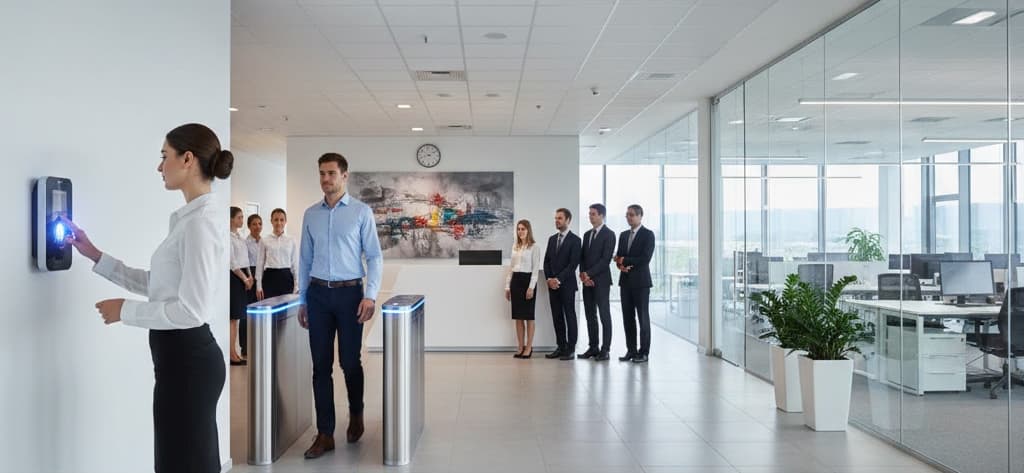
An attendance machine works in five stages. The sensor captures a sample, an image of a fingerprint, a face, the vein pattern of a palm. Software extracts the distinctive features from that sample and discards the rest, including the original image. It compares the resulting template against the templates created during enrollment, producing a similarity score. If the score passes the configured threshold, the device records an event containing the user identifier, timestamp, direction and device identifier. That event is then transferred to the attendance software.
Capture, extract, compare, record, transfer. The whole sequence typically completes in well under a second on a modern terminal, and everything else on this page is detail beneath those five verbs.
Main Components of an Attendance Machine
| Component | Function | What varies between specifications |
|---|---|---|
| Biometric sensor | Captures the raw sample. An optical or capacitive sensor for fingerprints, a camera pair with infrared illumination for face, a near-infrared sensor for palm vein, a specialised camera for iris. | Modality, sensor area and resolution, tolerance to contamination, and whether capture must work with gloves, protective equipment or covered faces. |
| Card or token reader | Reads an RFID or smartcard credential, as the primary method or as a second factor alongside a biometric. | Card technology and security level, and whether the credential must interoperate with an existing estate. |
| Processor and matching engine | Runs feature extraction and template comparison, on the device or on a server depending on topology. | Matching speed at the enrolled population size, and whether matching must continue without a network. |
| Template storage | Memory holding enrolled templates. Capacity sets how many users one terminal supports. | Capacity, encryption at rest, and whether templates may be stored on the device at all under the applicable data rules. |
| Transaction log memory | Holds attendance events locally until they are transferred, so events are not lost when the network is unavailable. | Depth, sized against the longest credible outage at peak punch rate rather than an average day. |
| Real-time clock | Maintains the timestamp. Accuracy here is the foundation of every downstream calculation. | Drift rate, synchronisation method, and behaviour across time zone and daylight-saving changes on multi-site deployments. |
| Display, keypad and feedback | Confirms the event to the user, allows identifier or reason-code entry, and signals success or rejection. | Interface languages available, audible feedback suitability for the environment, and accessibility of the mounting and interface. |
| Communication interface | Ethernet, Wi-Fi, cellular, RS-485 or USB, carrying events to the software and configuration back to the device. | Transport security, whether the device initiates the connection, and what is available at remote sites. |
| Power supply and backup | Mains adaptor or Power over Ethernet, often with a backup battery so the terminal survives short interruptions. | Supply voltage and frequency vary by region; autonomy period depends on whether attendance must continue through an outage. |
| Access control relay | An optional output that releases a door lock, so one terminal serves both attendance and entry. | Whether the fail-state of the door on power loss is compatible with the building's life-safety strategy. |
How Does an Attendance Machine Work Step by Step?
| Step | What happens | How it works |
|---|---|---|
| 1 | Enrollment (once per person) | The user presents the credential several times. The device captures samples, extracts features and builds a reference template, stored according to the chosen topology. |
| 2 | User presents the credential | A finger on the sensor, a face in front of the camera, a palm above the reader, or a card at the reader. |
| 3 | Sample is captured | The sensor produces a raw image or signal. Face terminals typically capture both visible and infrared frames so recognition continues in poor light. |
| 4 | Liveness is assessed | Presentation attack detection assesses whether this is a live person rather than a photograph, mask, replica or lifted print. Implementation and strength vary considerably by device. |
| 5 | Features are extracted | The algorithm locates the distinctive characteristics (ridge endings and bifurcations for fingerprints, geometric relationships for faces) and encodes them as a numeric template. The original image is discarded. |
| 6 | Template is matched | The extracted template is compared against stored templates, on the device or on a server, producing a similarity score. |
| 7 | Decision against threshold | If the score exceeds the configured threshold the person is identified. If not, the attempt is rejected and a retry is prompted. |
| 8 | Attendance event is written | User identifier, date, time, direction, device identifier and verification method are recorded in the transaction log. |
| 9 | Feedback is given | The display confirms, an audible or visual signal acknowledges, and any linked door relay is released. |
| 10 | Event is transferred | The device pushes the record to the server, or the server polls the device. If the link is down, events queue in local memory and upload when it returns. |
| 11 | Rule engine applies policy | Shift assignment, grace periods, late marks, half-day thresholds, overtime and leave rules convert raw events into an attendance status. |
| 12 | Reports and payroll output | Registers, exception queues and payable-day data are produced for the pay cycle and exported to payroll or HR systems. |
Two observations about this sequence are worth carrying forward. Steps 1 to 9 happen at the device and are essentially identical everywhere. Steps 10 to 12 are where organisational and jurisdictional variation lives, in the transport, in the rules, and in what may be retained and for how long.
How Biometric Identification Actually Works
Enrollment: creating the template
Enrollment is the single most consequential step in the life of a biometric deployment, and the one most often rushed. The device takes multiple samples of the same characteristic and builds a reference template from them. A template built from poor samples (a partially placed finger, a face captured against a bright window, a hurried session during an induction queue) produces a user who is rejected repeatedly for months afterwards, and no amount of later configuration repairs it.
Two practices make the difference. Enrol more than one characteristic per person where the modality allows, so a cut, a bandage or a temporary change does not lock someone out. And record a failure-to-enrol rate during the enrollment campaign, the proportion of people for whom a usable template could not be created at all. That number is the most useful early indicator a deployment produces, because it sizes the fallback population before the system goes live rather than after.
Why the raw image is not stored
This is the most common misunderstanding about biometric attendance, and the answer is worth stating plainly: the device does not keep a picture of your fingerprint or your face.
During feature extraction, the algorithm identifies specific characteristics, for fingerprints, the minutiae points where ridges end or split, together with their relative positions and orientations. These are encoded as a set of numbers. That numeric template is what is retained; the original image is discarded. The process is deliberately one-way: a template contains enough information to recognise the same characteristic again, but not enough to reconstruct the original image from it. The same principle applies to face, palm vein and iris.
Three further properties are usually specified alongside this, and they should be stated as requirements rather than assumed. Templates should be encrypted at rest and in transit using a recognised symmetric algorithm. Template formats are generally proprietary to the algorithm, which has an implication worth knowing at procurement: templates do not usually transfer between vendors, so a change of platform often means re-enrolling the workforce. And access to biometric and attendance data should be governed by role-based permissions with an audit trail on every view, export and deletion.
Matching: 1:1 verification vs 1:N identification
There are two distinct matching modes, and they behave very differently at scale:
- 1:1 verification: the user first asserts an identity with a card, a token or an identifier, then presents the biometric. The system compares against one stored template only. Speed and discrimination are unaffected by how many people are enrolled.
- 1:N identification: the user presents only the biometric and the system searches the whole enrolled set for a match. More convenient, because nothing else is needed, but the search space grows with headcount, and with it both the matching time and the probability of a close but wrong match.
The practical consequence is that 1:N is excellent at small and moderate population sizes and degrades as the enrolled set grows. Large deployments respond by moving to 1:1, by partitioning users across terminals so each device holds only its own population, or by moving matching to a server with the processing capacity to search a large set quickly. All three are legitimate; which is right is a topology decision, covered next.
Thresholds, false accepts and false rejects
Biometric matching produces a similarity score, not a yes or no. The threshold decides where the line falls, and moving it trades one error against the other:
- False Acceptance Rate (FAR): how often the wrong person is accepted. Lowering it means raising the threshold.
- False Rejection Rate (FRR): how often the right person is rejected. Lowering it means relaxing the threshold.
The two move in opposite directions and cannot both be minimised; the point at which they are equal is sometimes quoted as an equal error rate, which is useful for comparing algorithms but is not where a real deployment is usually set. A door protecting a sensitive area is tuned for low FAR and accepts that legitimate users will occasionally need a second attempt. A high-throughput entrance at shift change is usually tuned the other way, because a long queue cannot absorb repeated retries.
Two cautions belong here. Published accuracy figures relate to specific test conditions, populations and threshold settings, and should never be read as an assurance of how a particular site will perform. And the threshold is a site decision that should be recorded in the commissioning documentation, because an undocumented threshold change is one of the hardest later problems to diagnose.
Biometric Modalities Compared
| Modality | How it identifies | Typically suited to | Principal limitation |
|---|---|---|---|
| Fingerprint | Optical or capacitive sensor images ridge patterns; minutiae are extracted as the template | Office, retail, administrative and general-purpose populations with clean, uncovered hands | Ridge detail genuinely worn by manual work, chemicals or age; performance falls with wet, dry or damaged skin |
| Face | Camera pair with infrared captures facial geometry; contactless and workable in low light | Contactless requirements, higher-footfall entrances, hygiene-sensitive settings, gloved workforces | Strongly affected by installation lighting; face coverings and significant appearance change require re-enrollment or a fallback |
| Palm vein | Near-infrared imaging of the subsurface vein pattern of the palm | Settings where surface fingerprints are unreliable, manual labour, chemical handling, wet work | Larger and generally more expensive sensor footprint; fewer device options; positioning needs user familiarity |
| Iris | Specialised camera reads the iris pattern at short range, fully contactless | Clinical and controlled areas, and staff in gloves, masks and protective equipment | Presentation distance and user cooperation matter; eyewear and some conditions affect capture |
| Card or token | Reads an identifier from a contactless credential | Large temporary, contractor or visiting populations; also used as the first factor in 1:1 matching | Verifies the credential, not the person, so it does not prevent one person presenting another's card |
| Multi-modal | Combines several of the above in one terminal, by user or by policy | Mixed workforces where no single method serves everyone | More to configure, enrol and support; the fallback policy must be explicit or it becomes ad hoc |
No single modality serves every workforce, which is why multi-modal terminals exist. A manufacturing population may find that fingerprint recognition fails for a meaningful share of shop-floor staff whose ridge detail is genuinely worn by the work, a recognised limitation, not a device fault. Those users are better served by face, palm or a card credential, and planning for them is Step 4 of the specification method below.
Deployment Topology: On-Device Matching vs Server-Side Matching
Where the template lives and where the comparison happens is a design decision with consequences for availability, scale and data protection. It is rarely presented as a choice, which is why it is worth setting out explicitly.
| Aspect | On-device matching | Server-side matching |
|---|---|---|
| Where templates are held | On each terminal, usually with a copy held centrally for distribution and recovery | Centrally, with the terminal acting as a capture device |
| Behaviour without a network | Continues fully, identification does not depend on the link | Degrades or stops, unless the terminal caches a local subset |
| Scale behaviour | 1:N search is bounded by terminal processing and template capacity | Large enrolled sets searched quickly with server resources |
| Enrollment distribution | Templates must be pushed to every terminal a user may use | One enrollment is immediately usable at every terminal |
| Data protection posture | Templates distributed across many physical devices, each of which must be secured and wiped on disposal | Templates concentrated in one controlled location, which is easier to govern and to delete on request |
| Typical fit | Remote or poorly connected sites, moderate populations, deployments where attendance must never stop | Large multi-site estates, large enrolled populations, and jurisdictions where centralised control of biometric data is required or preferred |
A third arrangement is worth knowing: match-on-card, where the template is held on a credential carried by the individual and the comparison happens against that, so no central or device-held biometric database exists at all. It adds credential management overhead and it does not suit every workforce, but where the applicable rules push hard toward data minimisation it is sometimes the only architecture that satisfies them.
Most real estates run a hybrid: on-device matching at sites that must keep working through an outage, server-side matching where populations are large, and a single rule engine behind both. The requirement to state is the behaviour, not the product, what must still work when the link drops, and where templates may be held.
How Attendance Data Reaches the Software
Once an event is recorded it has to reach the server, and there are two models:
- Push: the device initiates the connection and sends each event as it happens, or in short batches. This gives near real-time data and works when devices sit behind routers on remote sites, because the device dials out rather than waiting to be reached.
- Pull: the server polls each device on a schedule and downloads accumulated events. Simpler to manage on a single flat network, but data is only as current as the last poll.
Physical connectivity is typically Ethernet or Power over Ethernet, Wi-Fi, cellular data for sites without structured cabling, or RS-485 for multi-device runs within a building. Export to removable media remains a fallback where there is no network at all. On any deployment crossing a public network, transport security and device authentication are specification items, an attendance feed is personal data in motion.
Critically, terminals hold events in local memory when the connection drops. Events continue to be recorded during an outage and upload when the link returns, so a network failure delays the data rather than losing it. The practical limit is the device's log capacity, which is why that depth should be sized against the longest credible outage at peak punch rate rather than against an average day.
What the Software Rule Engine Does With the Data
The raw event is an identifier and a timestamp. The rule engine turns it into meaning:
- Shift resolution: matching each event to the correct shift, including night shifts crossing midnight, rotating rosters and multi-time-zone estates.
- Policy application: grace periods, late marks, early-departure rules and half-day thresholds applied as configured policy rather than case-by-case judgement.
- Overtime calculation: hours beyond the assigned shift, computed under the applicable rule and subject to any pre-approval requirement.
- Leave reconciliation: approved absence matched against the register so the attendance record and the leave ledger agree.
- Exception handling: missed events and anomalies raised as a review queue, with every correction logged and attributed to whoever made it.
- Reporting and export: registers, management views and payable-day data exported to payroll or HR systems in the format they expect.
Two points matter internationally. Working-time rules, overtime definitions, rest-period requirements and record-keeping duties are set by national employment law and differ substantially, so the rule engine's configurability (not its default rule set) is what determines whether a platform can serve a multi-country estate. And every manual correction should be attributable, because an attendance record that can be edited without trace is of limited value in a dispute.
How to Specify an Attendance Deployment for Any Site
Most attendance deployments that disappoint were specified by choosing a device and discovering the requirements afterwards. The method below runs the other way: six determinations made in order, each constraining the next, none of which begins with a product. It is deliberately independent of country, vendor and product range.
Step 1, Profile the workforce before choosing a modality
Modality selection is a property of the people, not of the technology. Build the profile first, in writing:
- What the hands and faces actually look like at the point of use. Manual work, chemical and solvent exposure, wet processes and age all wear ridge detail. Gloves, masks, hairnets, helmets and eye protection may be mandatory and non-removable at the entrance. Record what people are actually wearing when they arrive.
- Population size and turnover. A stable population of a few hundred and a contractor population turning over every few weeks generate completely different enrollment loads, and turnover is the figure most often omitted from a brief.
- Who must be covered. Permanent staff, shift workers, contractors, agency staff, visitors and drivers may each need a different treatment, and some may not be enrollable at all for policy reasons.
- Hygiene and contact requirements. Food handling, clinical and some manufacturing settings constrain or prohibit contact modalities.
- Accessibility. Some users cannot present a given characteristic at all, whether permanently or temporarily. An inclusive design assumes this rather than discovering it.
- Expected failure-to-enrol rate. Estimate it from the profile above, then measure it during a pilot. This number drives Step 4.
Only now is a modality choice meaningful. Map each population segment to the modality that suits it, and accept that a mixed workforce will usually produce a mixed answer, which is an argument for multi-modal terminals or a mixed estate, not a problem to be engineered away.
Step 2, Size throughput for the peak shift change
Terminal count is arithmetic, and the arithmetic is simple enough to do on one line, but it must be done against the peak, never the daily total.
- Establish the peak arrival window. How many people must be processed, and over how many minutes. A plant with three shift changes has three sharp peaks; an office has one long shallow one. The same headcount produces very different requirements.
- Establish the transaction time per person: measured end to end: approach, present, match, feedback, clear. This is longer than the matching time quoted on a datasheet, often by several times, because it includes human behaviour.
- Compute terminal throughput as 60 divided by the transaction time in seconds, giving people per minute per terminal.
- Divide the peak arrivals by the window and by that throughput to get the terminal count, then add margin. A deployment sized exactly to its peak has no capacity for a failed read, a retry or a terminal out of service.
- Blend in the retry rate. As with any queue, the slow transactions dominate: if a small percentage of attempts take several times as long, they consume a disproportionate share of the window. Size for the blended time, not the clean one.
- Check the physical queue. Terminals produce a queue somewhere. Verify that the space in front of them can hold it without obstructing a doorway, a walkway or an escape route, which is a building design question as much as an equipment one.
The output of this step should be an explicit sentence: the number of terminals, the lanes they occupy, and the peak they are sized for. That is the figure a reviewer can challenge.
Step 3, Choose the deployment topology
Decide, and write down, where templates are held and where matching happens, using the comparison earlier on this page. The determining questions are:
- What must still work when the network is unavailable? If attendance must continue at a remote site through a day-long outage, matching has to be local and the log depth has to carry it.
- How large is the enrolled set at any one terminal: and does 1:N matching remain fast and discriminating at that size? If not, partition users, adopt 1:1, or move matching to a server.
- Where may templates lawfully be held: and does the applicable regime push toward centralisation, toward device-level storage, or toward holding nothing centrally at all? This question belongs to Step 5 and frequently overrides the engineering preference.
- How is a user removed? Deletion must reach every location a template exists. A topology without a reliable deletion path is a topology that cannot honour a deletion obligation.
Step 4, Define the fallback for users no single modality serves
Every deployment has a minority for whom the chosen modality does not work, reliably, or at all. Designing for them is not an edge case; it is the difference between a system people trust and one they resent.
- Define the secondary modality for the failure-to-enrol population identified in Step 1, and provision terminals that support it where those users actually work.
- Define the tertiary path (a card or token credential, or a supervised manual entry) for users no biometric modality serves. It should be a normal, dignified route, not an exception requiring a conversation each time.
- Define the temporary path for injuries, bandages, temporary appearance change and forgotten credentials. This is the most-used fallback in practice and the least often designed.
- Make manual entries attributable. Every manual or supervisor-entered event should record who entered it and why, so the audit trail survives.
- Never resolve an individual's failures by relaxing the threshold for everyone. That trades a personal inconvenience for a system-wide weakening, and it is the most common bad fix in this category. Re-enrol the user, or move them to another modality.
Step 5, Establish the jurisdiction's data-handling requirements
This step is not an afterthought and it is not a legal formality to be completed after the hardware arrives. In many countries it determines whether the deployment may use biometrics at all, and in others it determines the topology, the retention period and the consent arrangement. Establish, in writing and from a competent local source:
- Whether biometric data is treated as a special or sensitive category in that jurisdiction, and what that classification requires.
- The lawful basis for processing it in an employment relationship, and in particular whether employee consent is regarded as valid where there is an imbalance of power, because in several regimes it is not, which changes the entire design.
- Whether a less intrusive alternative must be offered to employees who object, and what that alternative must be.
- Whether a formal assessment is required before processing begins, and who must approve or be notified.
- Retention and deletion obligations: how long templates and attendance records may be kept, and what must happen when a person leaves.
- Transfer restrictions: whether templates or attendance records may leave the country, which directly constrains cloud hosting and any centralised multi-country platform.
- Information duties: what must be told to employees, in what form, and when.
Write the answers into the specification as requirements. "Templates held within the country of operation", "no raw images retained", "records deleted after a stated period following departure", "alternative non-biometric method available on request" are specification lines, and a supplier can answer them. A specification that omits them leaves the organisation to discover its obligations after the system is installed, which is where this technology most often goes wrong.
Step 6, Fix the environmental and installation envelope
The last step is the physical one, and it is where otherwise sound deployments underperform:
- Lighting at face terminals. A terminal facing a window or direct sun will underperform regardless of specification. Fix orientation and controlled illumination at design stage, this is the most common single cause of poor face recognition in service.
- Mounting height and reach: set for the actual range of user heights at that site and for wheelchair users where applicable.
- Environmental protection appropriate to the location: ingress protection for outdoor, dusty or wash-down areas, and a device rated for the ambient temperature range rather than an office assumption.
- Power and network provision: including backup where attendance must continue through an outage.
- Time synchronisation across all terminals, with the behaviour across time zones and seasonal clock changes defined for multi-site estates.
- Enrollment logistics: a quiet, well-lit space, enough time per person, trained operators, and a defined process for joiners after go-live. Enrollment done badly at go-live generates support calls for the following year.
Writing it down: a six-line deployment schedule
The six determinations condense into a schedule that can be issued with a tender and answered unambiguously by any competent supplier.
| Line | States | Example of a well-formed entry |
|---|---|---|
| 1 · Workforce and modality | Population segments, size and turnover, modality per segment, expected failure-to-enrol rate | "Shop floor on face and palm; administrative staff on fingerprint; contractors on card; failure-to-enrol rate to be measured during a pilot and reported" |
| 2 · Throughput | Peak arrivals, window length, assumed transaction time, resulting terminal count and margin | "Peak arrivals over a 12-minute window; blended transaction time stated; terminal count derived with one spare lane per entrance" |
| 3 · Topology | Where templates are held, where matching happens, offline behaviour, log depth, deletion path | "On-device matching with central distribution; full operation for a stated offline period; log depth sized to that period at peak rate; deletion propagates to every device" |
| 4 · Fallback | Secondary modality, non-biometric path, temporary path, attribution of manual entries | "Card credential available to any user on request; supervisor entry attributable and reportable; threshold not to be altered to resolve individual failures" |
| 5 · Data handling | Classification of the data, lawful basis, alternative provision, retention, transfer limits, information duties | "Templates and records held within the country of operation; retention period stated; non-biometric alternative offered; employee information notice issued before enrollment" |
| 6 · Environment and installation | Lighting and orientation, mounting, ingress and temperature rating, power, network, time synchronisation | "No terminal to face a glazed elevation; stated ingress rating at external doors; synchronised to a common time source with seasonal change behaviour defined" |
A supplier who can answer all six lines against specific models has told you something useful. A supplier who answers only with a model name and an accuracy figure has not.
Biometric Data Regulation Is a Specification Input, Not an Afterthought
Of everything on this page, this is the subject where international readers are most often misled, usually by material written for a single country and read in another. There is no common international rule for workplace biometrics. The legal position differs sharply from country to country, and in some cases between regions within one country.
The axes of variation are predictable even though the answers are not. Some regimes classify biometric data as a special category requiring a specific lawful basis and a formal impact assessment before processing begins. Some regard employee consent as incapable of being freely given because of the imbalance of power in an employment relationship, which removes consent as a basis entirely and requires a different justification. Some require that a non-biometric alternative be offered to anyone who objects. Some impose retention limits and deletion duties on departure. Some restrict transfer of the data out of the country, which constrains where a platform may be hosted. Some require notification to, or authorisation from, a supervisory authority. And in some jurisdictions there are specific statutory schemes governing biometric identifiers with their own enforcement routes.
The practical consequences for a specifier are concrete rather than abstract. The lawful basis determines whether an alternative method must be provisioned, which changes the terminal mix. Transfer restrictions determine whether a centralised multi-country platform is usable at all. Retention rules determine the deletion design, which must reach every device holding a template. And the classification of the data determines how much assessment and documentation must exist before the first enrollment, not after.
The instruction that follows is simple and applies everywhere: establish the position for the country of operation, in writing, from a competent local source, before the specification is issued. On a multi-country estate, establish it for each country, because a design that satisfies one may be unlawful in another. Nothing on this page is legal advice, and no description here should be relied on as a statement of the requirements in any particular jurisdiction.
Environmental Conditions That Degrade Capture
Biometric capture is an optical and electrical measurement, and measurements degrade in the real world. Published performance figures assume reference conditions; a working entrance rarely matches them. The mechanisms below are general and apply in any climate.
- Strong or uneven lighting is the dominant cause of poor face recognition in service. A bright window behind the user, direct sun on the sensor or heavy shadow across the face all reduce usable contrast. This is an installation problem with an installation fix: orientation, shading and controlled illumination.
- Dust and particulates accumulate on fingerprint platens and camera windows, scattering light and reducing image quality until read rates fall gradually, so gradually that users adapt before anyone investigates. Cleaning frequency should follow the environment rather than the calendar.
- Moisture and wet hands flood the contact area on optical sensors and bridge ridges on capacitive ones. Very dry skin produces the opposite problem, with too little contact. Both are common in cold or arid conditions and in wash-down environments, and both argue for a contactless modality.
- High ambient temperature shortens the life of electronics in a wall-mounted terminal, particularly where the device sits in direct sun on an external wall. Shading and orientation are the usual responses, along with a device rated for the actual temperature range.
- Low temperature affects both device and user: displays and batteries behave differently, and cold fingers present poorly. Where terminals serve an unheated entrance, this is a modality consideration rather than only a device rating one.
- Coastal and industrial atmospheres corrode enclosures, fasteners and connectors over time. Where terminals are external or near an open loading area, enclosure material and coating are specification items.
- Electrical disturbance on long cable runs and shared supplies affects terminals as it does any outdoor electronics, so earthing and surge provision matter where entrances are remote from the distribution board.
Standards and Conformity: What Applies Where
As with the data rules above, requirements for attendance terminals are set jurisdictionally. There is no single global standard governing the category, and a conformity mark mandatory in one region carries no automatic legal status in another.
| Regime | What it typically governs | What the specifier must establish |
|---|---|---|
| Data protection and privacy | Classification of biometric data, lawful basis, consent validity, assessments, retention, deletion, transfer and information duties | The position in the country of operation, established from a competent local source before the specification is issued. |
| Employment and working-time rules | What attendance records must be kept, in what form and for how long, and how working time, rest and overtime are defined | The record-keeping duty and the working-time definitions the rule engine must be able to express. |
| Electrical safety and installation | Supply voltage and frequency, protective devices, earthing, cable selection, isolation and labelling | National wiring regulations, and who is competent and licensed to install and certify. |
| Electromagnetic compatibility | That the equipment neither emits excessive interference nor malfunctions in the presence of normal interference | Which EMC regime applies in the country of installation. |
| Radio equipment approval | Wi-Fi, cellular and contactless card interfaces: permitted bands and radiated power limits | The national allocation and limits, and that the supplied variant is the one permitted there. |
| Regional product conformity marking | Market access marking schemes, which differ by region and sometimes require in-country testing, registration or a local representative | Which scheme applies to this product category in this market, and what evidence the importer must hold. |
| Life safety and fire authority approval | Behaviour of any door the terminal controls on alarm, and the interface to the alarm system | The local authority's expectations where the terminal has an access control relay, established before the design is fixed. |
| Accessibility requirements | Reach ranges, interface accessibility and the availability of an alternative method | The applicable accessibility rules for workplaces and for the building type. |
| Biometric performance and format standards | Test methodologies for accuracy and presentation attack detection, and interchange formats for templates | Whether the organisation requires independently tested performance or a standard interchange format, and whether the candidate products support it. |
Nothing on this page should be read as a statement that any particular product holds any particular approval, certification or conformity status, or that any deployment satisfies any legal requirement. Approval status is a question for the supplier of the specific model in the specific market, and the legal position is a question for competent local advice. Both should be confirmed in writing before a specification is issued.
Where Attendance Machines Are Used
The same technology serves very different populations, and each setting has a characteristic specification profile:
- Corporate offices and professional services: stable populations, modest throughput, attendance linked directly to payroll and HR systems, and privacy communication that matters more than raw performance.
- Manufacturing plants: sharp shift-change peaks that dominate throughput sizing, worn ridge detail on shop-floor staff that pushes modality selection toward face or palm, and particulate-laden air that drives maintenance frequency.
- Logistics and distribution centres: large contractor and agency populations with high turnover, which makes enrollment load and credential revocation the dominant design problems.
- Hospitals and healthcare campuses: gloves, masks and protective equipment rule out contact modalities at many points, and clinical areas constrain where terminals may be placed at all.
- Universities and educational campuses: large, seasonally changing populations with high annual turnover, which pushes toward methods that are simple to issue and revoke.
- Retail and hospitality chains: many small sites, often with poor connectivity, which is a strong argument for on-device matching and generous local log depth.
- Construction and project sites: temporary, mobile and connectivity-limited, usually served by portable or cellular-connected terminals with a short deployment life.
- Government and institutional facilities: auditable records, formal retention duties, and frequently a requirement that the data stays within defined boundaries.
- Multi-country corporate estates: the hardest case, because the rule engine must express several national working-time regimes and the topology must satisfy several data regimes at once.
TimeWatch supplies biometric attendance terminals and related access control equipment internationally, and maintains dedicated regional sites for several markets, see the regional guidance below for where to look for locally relevant information.
Integration Possibilities
- Payroll and HR systems: attendance exported as payable days, overtime hours and leave adjustments, in the format the receiving system expects.
- Access control: the same terminal releasing a door, so one credential governs both time and entry, with different rules applied to each function.
- Identity and directory services: joiners, movers and leavers propagated automatically, so a departure removes access and triggers the deletion process rather than relying on a manual step.
- Canteen and entitlement systems: the same identity used at a meal counter with entitlement rules applied automatically.
- Visitor management: staff and visitor movement recorded against one system for a complete on-site picture, particularly where a headcount is needed during an evacuation.
- ERP and project systems: labour hours booked against projects, jobs or departmental codes.
- Video systems: footage bookmarked against events for verification where that is permitted by the applicable rules, which is not everywhere.
- Mobile and location-bounded attendance: field staff recording attendance from a device within a permitted boundary, which raises its own data questions and should be assessed alongside the terminals.
Installation and Maintenance Considerations
Installation
- Orientation and lighting: never site a face terminal facing a glazed elevation or direct sun. Verify at the time of day the peak occurs, not at midday.
- Mounting height and reach: set for the actual user population and for wheelchair users where applicable.
- Queue space: confirm the queue a terminal generates can stand somewhere that does not obstruct a doorway, walkway or escape route.
- Terminal count and lane layout: placed as sized in Step 2, with entry and exit separated where traffic is bidirectional.
- Network and power: Ethernet or Power over Ethernet where available, cellular where not, with backup power where attendance must continue through an outage.
- Environmental protection: rated enclosures for outdoor, dusty or wash-down locations; direct rain exposure and temperature extremes shorten sensor life.
- Door interface: where the terminal controls a door, the fail-state on power loss must be reconciled with the building's life-safety strategy, and tested.
- Enrollment campaign: space, time, trained operators and a process for joiners afterwards, planned as a project rather than squeezed into go-live week.
- Commissioning record: threshold settings, topology, log depth, time source and fallback policy recorded in writing and handed over.
Maintenance
- Clean sensor surfaces and camera windows on a frequency set by the environment. Contamination on a platen is the most frequent cause of gradually worsening read rates.
- Re-enrol users who fail repeatedly, rather than relaxing the threshold for everyone.
- Keep firmware current for algorithm and presentation attack detection improvements, with changes recorded.
- Verify time synchronisation. A terminal whose clock has drifted produces subtly wrong attendance for everyone using it, and the error is hard to spot downstream.
- Monitor transaction log capacity and confirm events are uploading, particularly after any network change.
- Back up the template database and confirm the restore process works before it is needed.
- Review rejection rates per terminal and per user. A rising rate on one terminal points at the device or its environment; a persistently high rate for one user points at enrollment.
- Confirm that leaver deletion has actually propagated to every device, on a defined audit cycle rather than on trust.
- Check door relay and backup battery function where the terminal also controls access.
Benefits and Limitations
Benefits
- A credential that cannot be handed to a colleague, which removes the substitution problem that cards and codes cannot solve.
- Accurate, timestamped records that remove disputes over arrival and departure times.
- Removal of manual register entry and the reconciliation effort that follows it.
- A direct feed to payroll, so any payable figure traces back to the individual event behind it.
- Multi-site and multi-shift data consolidated into one view under one rule set.
- Support for record-keeping and audit duties, with corrections attributable to whoever made them.
- Continued operation during a network outage where on-device matching is used, so attendance is delayed rather than lost.
Limitations and considerations
- No biometric modality works for everyone. Worn ridge detail, gloves, facial coverings and individual variation each defeat specific methods. A fallback is a design requirement, not a courtesy.
- Enrollment quality determines everything downstream: and poor initial capture cannot be corrected by configuration later.
- Throughput is finite: and a large simultaneous shift change needs multiple terminals regardless of how fast any one of them is.
- 1:N matching degrades as the enrolled set grows: which is a topology problem rather than a product defect.
- Environment degrades capture: lighting, dust, moisture and temperature all reduce real-world performance below published figures.
- Accuracy figures are configuration-dependent. Published FAR and FRR relate to specific test conditions and thresholds, and should never be read as an assurance of how a particular site will perform.
- Templates are generally not portable between vendors: so a platform change often means re-enrolling the workforce, a point worth establishing before committing.
- The legal position differs by jurisdiction: and in some countries constrains or prohibits arrangements that are routine in others. This is the constraint most likely to invalidate an otherwise sound design.
Biometric vs Card Attendance: What Is the Difference?
| Biometric attendance | Card-based attendance | |
|---|---|---|
| What it verifies | The person | The credential |
| Substitution by a colleague | Prevented, the characteristic cannot be handed over | Possible, a card can be passed to someone else |
| Lost credential | Not applicable | Cards are lost, forgotten and need reissuing, which is a continuing administrative load |
| Speed per user | Typically under a second; 1:N slows as the enrolled set grows | Very fast and constant regardless of population size |
| Works for everyone | No, some users are unsuitable for a given modality | Yes, for anyone issued a credential |
| Data handling burden | Significant, biometric data is regulated differently and often more strictly than other personal data | Lower, an identifier on a card is ordinary personal data in most regimes |
| Typically suited to | Permanent staff where attendance accuracy drives payroll | Large contractor or temporary populations, as a fallback, or as the first factor in 1:1 matching |
Many organisations run both: biometrics for permanent staff, credentials for contractors, visitors and the fallback population, with everything feeding one attendance database and one rule set. Where the applicable data rules make biometric processing difficult, a credential-based deployment with strong supervision remains a legitimate answer rather than a compromise.
Regional Guidance: India, Saudi Arabia and the UAE
This page is written to be useful anywhere, which means it deliberately avoids national specifics: local workforce patterns, local availability and support arrangements, local employment record-keeping duties and (most importantly here) local data protection requirements all differ, and generic advice on those subjects is worth less than none.
For three markets, TimeWatch maintains dedicated regional sites with locally relevant versions of this guidance, local product availability and local support arrangements. If you are deploying in one of them, start there rather than here:
- India: timewatchindia.com, How does an attendance machine work?
- Saudi Arabia: timewatcharabia.com, How does an attendance machine work?
- United Arab Emirates: timewatchuae.com, How does an attendance machine work?
Readers elsewhere are in the right place. The mechanism, the modality selection method and the six-step specification method on this page are written to be applied to any workforce in any country, what you supply is your own workforce profile, your own peak, and the data-handling position for your jurisdiction, and the method does the rest.
Frequently Asked Questions
Does an attendance machine store my fingerprint?
No. The device converts your fingerprint into a numeric template describing distinctive features such as ridge endings and their positions, then discards the original image. The template is a one-way representation, it can recognise the same finger again but cannot be used to reconstruct your fingerprint. Templates should additionally be encrypted at rest and in transit, which is a specification requirement rather than something to assume.
How does a biometric machine recognise you?
It captures a sample, extracts the distinctive features into a numeric template, and compares that template against the templates created when you were enrolled. The comparison produces a similarity score rather than a yes or no. If the score exceeds the configured threshold, you are identified and an attendance event is recorded with your identifier and the exact time.
Which biometric method should I choose for my workforce?
Choose it from the workforce rather than from the technology. Look at what hands and faces actually look like at the point of use (manual work and chemical exposure wear ridge detail, while gloves, masks and protective equipment rule out specific methods entirely) then map each population segment to a modality that suits it. A mixed workforce usually produces a mixed answer, which is why multi-modal terminals and mixed estates exist.
What is the difference between 1:1 and 1:N matching?
In 1:1 verification the user first asserts an identity with a card, token or identifier and the system compares against that one stored template, so speed and discrimination are unaffected by population size. In 1:N identification the user presents only the biometric and the system searches the whole enrolled set, which is more convenient but degrades as the enrolled set grows. Large deployments respond by adopting 1:1, partitioning users across terminals, or moving matching to a server.
Should matching happen on the device or on a server?
It depends on what must keep working and where templates may be held. On-device matching continues through a network outage and suits remote or poorly connected sites, but distributes templates across many physical devices and requires enrollment to be pushed to each. Server-side matching handles large enrolled sets quickly and concentrates the data in one controlled location, but degrades without a network unless the terminal caches a subset. Data protection requirements frequently decide this before engineering preference does.
Can an attendance machine work without a network connection?
With on-device matching, yes. Identification happens on the terminal itself, so it continues with no network at all, and events are stored in local memory and upload automatically when the connection returns. The constraint is the log depth, which should be sized against the longest credible outage at peak punch rate rather than an average day. With server-side matching, the terminal depends on the link unless it holds a local cache.
What happens if the fingerprint does not read?
The device rejects the attempt and prompts a retry. Repeated failures usually indicate a poor enrollment, a contaminated sensor, or a finger that is wet, dry, cut or worn. The remedies are cleaning the sensor, re-enrolling the user, or moving that person to another method such as face, palm or a card credential. Relaxing the threshold to resolve one person's failures weakens the system for everyone and should be avoided.
Do the same rules apply to biometric attendance data in every country?
No, and this is the single largest difference between deploying this technology in one country and another. Regimes differ on whether biometric data is a special category, whether employee consent is a valid basis given the imbalance of power in employment, whether a non-biometric alternative must be offered, how long data may be retained, whether it may leave the country, and whether an assessment or notification is required before processing begins. Establish the position for the country of operation in writing from a competent local source before the specification is issued.
How many terminals does a shift change need?
Work it out rather than guess. Establish how many people must be processed and over how many minutes, measure the end-to-end transaction time per person including approach and clearing, and compute throughput as 60 divided by that time in seconds. Divide the peak arrivals by the window and by that throughput, blend in the slower retry transactions, then add margin for a terminal out of service. Finally check that the resulting queue has somewhere to stand without obstructing a doorway or escape route.
How accurate are face recognition attendance machines?
Accuracy depends on the device, the algorithm, the matching threshold and site conditions rather than being a single fixed figure, and published figures relate to specific test conditions that a working entrance rarely reproduces. Modern dual-camera terminals with infrared perform reliably in low light and with normal changes in appearance. The most common cause of poor real-world performance is installation, a terminal facing a window or direct sun will underperform regardless of its specification.
TimeWatch has several websites, which one should I use?
This site is the international reference and serves readers outside the three markets that have their own regional sites. If you are deploying in India, Saudi Arabia or the United Arab Emirates, use the regional site for that market, because it carries locally relevant guidance, local availability and local support arrangements that a market-neutral page cannot provide. Readers elsewhere should use this site, applying the specification method here to their own workforce profile and their own jurisdiction's requirements.
